
How to Use the Animations Package in Flutter
Smooth animations in Flutter can feel confusing at first. In this post, I explain how I implemented a FAB to full-screen transition using the animations package.
In this post, I’ll share how I learned to animate a Floating Action Button (FAB) into a full-screen page using Flutter’s animations package — step by step, as a beginner.
What is the Problem we are trying to solve?
I am building a Simple Finance App in Flutter , which track my income and expenses. It had a simple Flow
- Home Screen with a FAB to add a new transaction
- Clicking the FAB opens a full screen form to add transaction details
It was too plane without any animations.So i wanted to add a smooth transition animation from the FAB to the full screen form.
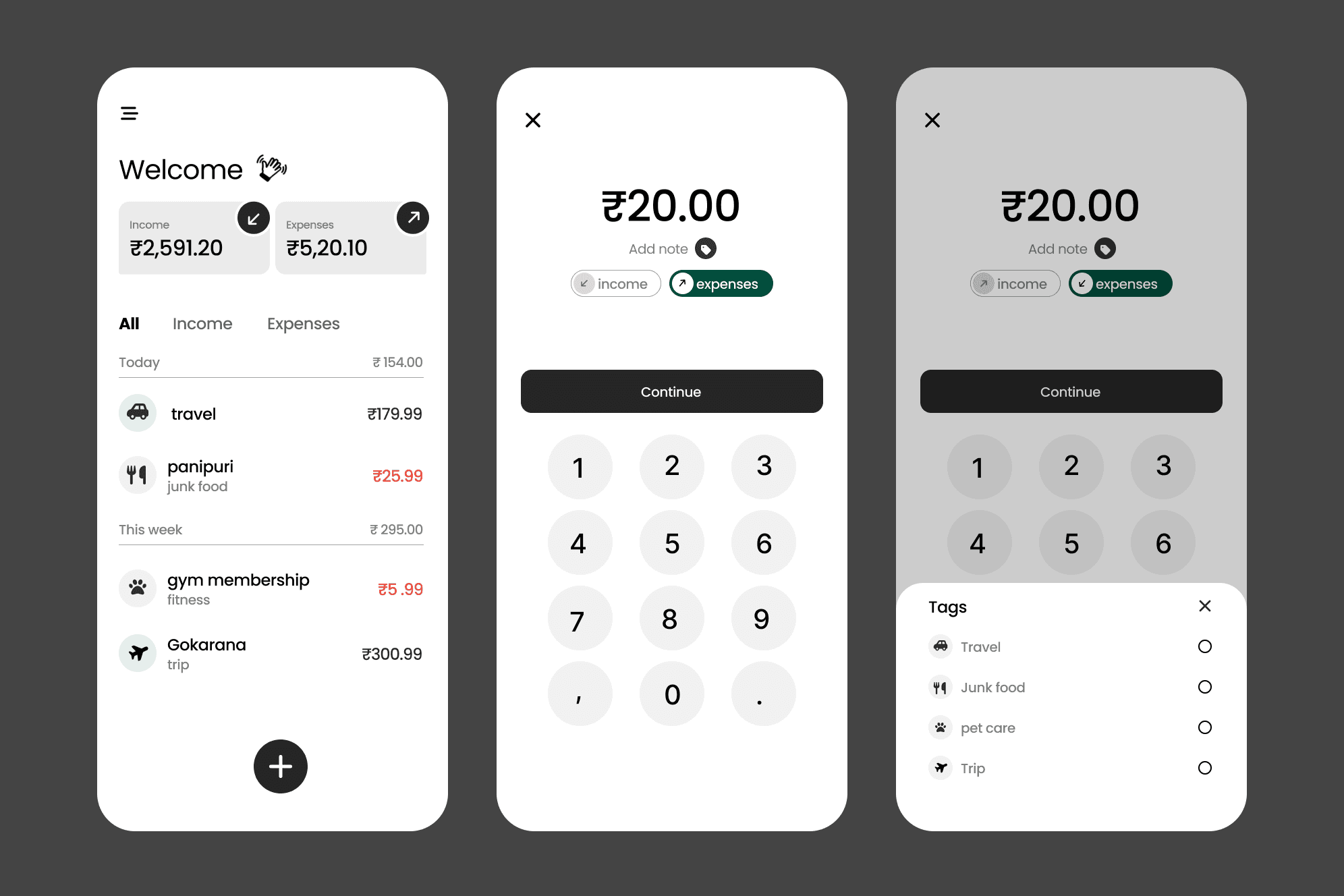
FAB = Floating Action Button
Discovering Material Motion
Flutter provides a package called animations, which implements Material Motion patterns.
One pattern stood out for my use case:
- Container Transform This pattern animates a container (like a FAB) transforming into a new screen, perfectly matching my need to animate the FAB expanding into a full screen form.
Animation Package : https://pub.dev/packages/animations
Implementing the Animation
Result
When you run the app and tap the FAB, it smoothly expands into the full screen form!
Conclusion
Using the animations package made it straightforward to implement a polished FAB to full-screen transition in Flutter. The Container Transform pattern provided a smooth and visually appealing effect that enhanced the user experience of my finance app. I hope this breakdown helps other Flutter beginners looking to add similar animations to their apps!
Recommended for you
Mar 18, 2026
How I Find Logo Inspiration (Without Using Generators)
This blog explains a simple way to find logo inspiration by understanding patterns instead of relying on logo generators.
Jan 30, 2026
Hero Animation in Flutter
Hero Animation in Flutter allows for smooth transitions between screens by animating shared elements. This blog post delves into how to implement Hero animations effectively in your Flutter applications.